Choose a portal path, then request setup or a subscription discussion
Start with a trial, request a Starter or Managed Portal, or discuss a white-label reseller path. Subscriptions, managed support, and project work are confirmed after review so the right setup, quote, or invoice can be prepared.

Built for businesses supporting meeting rooms, site systems, equipment racks, digital signage, and customer-facing technical spaces.


Buyers can immediately see the sort of environments the portal is suited to, while the actual subscription and rollout path stays controlled through your existing enquiry flow.
A branded support portal for your business
Best for small AV, IT, security, electrical, maintenance, and service businesses that need a clean customer ticket portal without building their own system.
- • Business-branded portal
- • Customer ticket submission
- • QR-code support access
- • Email notifications
- • Owner-reviewed setup
Portal setup with managed guidance
Best when you want Freaque Systems to help configure the portal, branding, admin access, support flow, and rollout details more closely.
- • Everything in Starter
- • Guided onboarding
- • Branding and workflow setup
- • Support-process advice
- • Optional AV/IT support discussion
A portal path for resellers and service providers
Best for businesses that want to offer a support portal experience to their own customers under a managed or reseller-style arrangement.
- • White-label discussion
- • Reseller workflow planning
- • Multi-customer support use case
- • Commercial terms reviewed first
- • Rollout quoted separately where needed
From enquiry to live portal without making the buyer guess.
A commercial portal offer built for real business use
- • Branded support portal for your business
- • Structured ticket creation and tracking
- • QR-code-based support access
- • Business-facing workflow visibility
- • Customisable presentation across industries
- • Controlled onboarding and first-admin setup
Trial the portal first, or request the subscription path that fits your business
The public sales path collects the right details first, then Freaque Systems confirms the appropriate subscription, quote, invoice, setup, or support arrangement before anything is provisioned.
A clear path from enquiry to a working branded portal.
The public pages should make the buying process feel simple: enquire, confirm the setup, prepare the portal, then start capturing support requests.
1. We confirm the portal fit
You send the business details, support workflow, and any site requirements so the setup path is clear before anything goes live.
2. Branding and first access are prepared
Your logo, support identity, first admin, and customer-facing portal entry are configured through the protected owner workflow.
3. QR access and ticket intake go live
You can place QR codes at reception, rooms, racks, or work areas so users land on the right support request page quickly.
4. The support workflow becomes visible
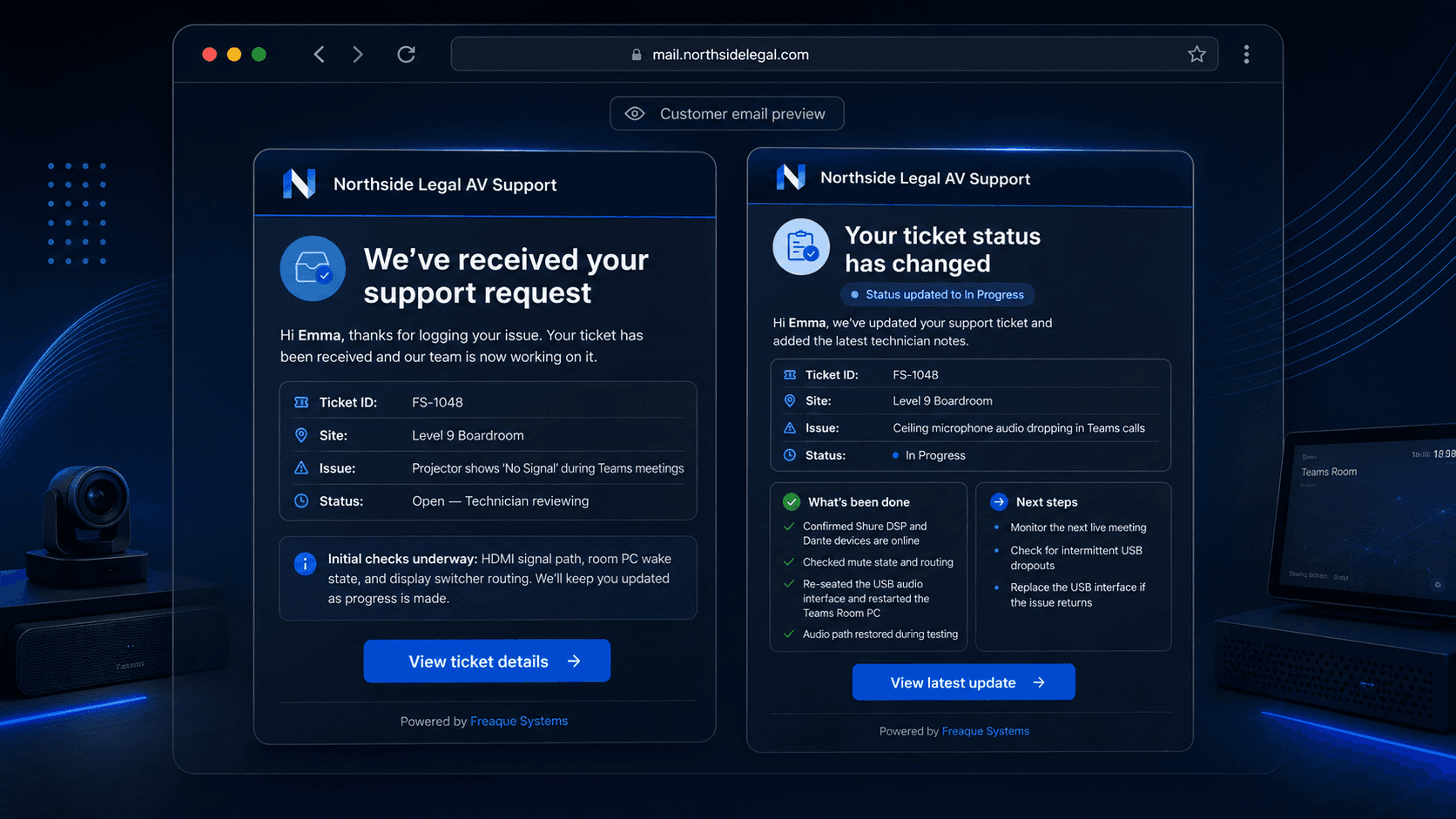
Tickets, statuses, external notes, and branded email updates give customers and staff a cleaner support experience.
Designed to look polished publicly while keeping the serious controls protected.
The public sales pages explain the product clearly. The actual tenant creation, business admin flow, and support operations stay behind the existing protected app structure.
Tenant-separated workflow
Each business works through its own branded portal path, keeping customer intake and admin views clearly separated.
Secure magic-link access
Authorised users sign in by email link, so businesses do not need another shared support password floating around.
QR-ready customer entry
Give customers, staff, or site users a simple scan point that opens the right support request page.
Start with the portal, then discuss any extra setup or support you need.
Freaque Systems can help businesses move from scattered support requests to a branded, QR-ready support workflow that looks clean to customers and stays practical for admins.
“A branded support portal your customers can access by QR code.”
.png&w=640&q=75)